FPS Drop when Window is out of focus
If the application is running very slowly when you stop focusing on its window, go to:
Nvidia Control Panel > Manage 3D Settings > Global Settings > Background Application Max Frame Rate
And set it to 60 FPS.
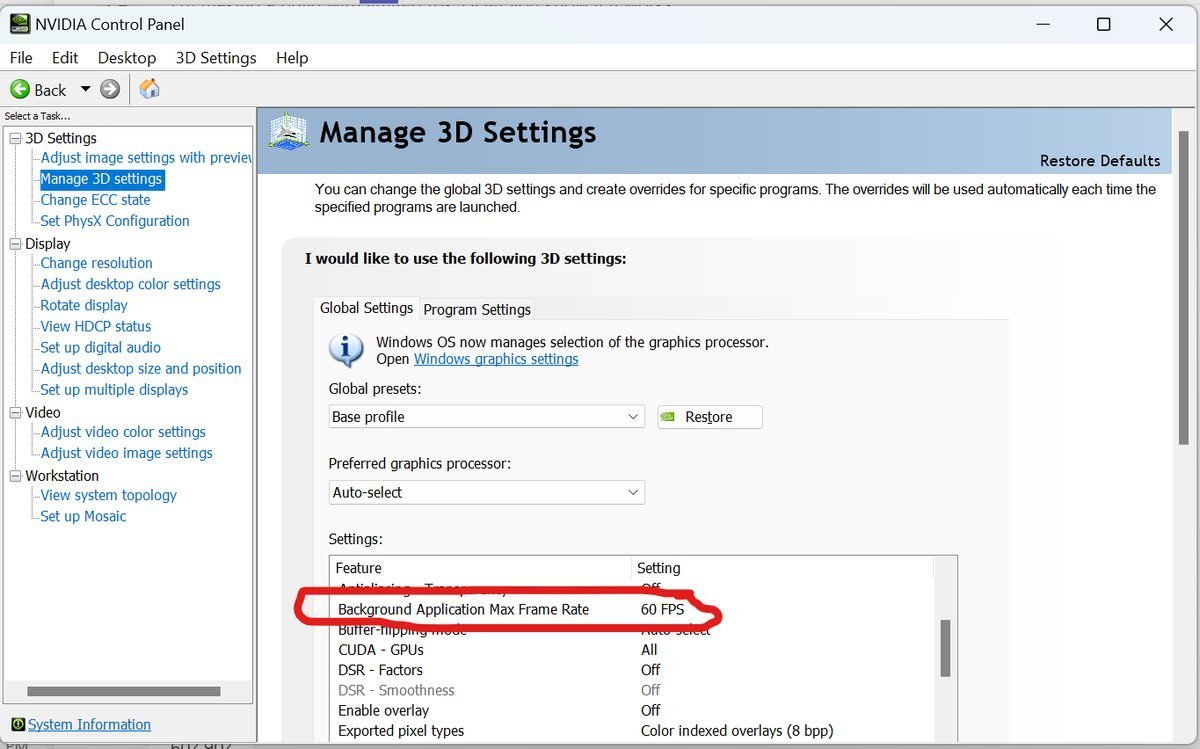
Setting "Background Application Max Frame Rate" in nvidia control panel